> ## Documentation Index
> Fetch the complete documentation index at: https://docs.mcp-use.com/llms.txt
> Use this file to discover all available pages before exploring further.

# Examples

> Explore TypeScript MCP server examples with live demos, source repos, and one-click deploy links.

Use these examples when you want a complete TypeScript MCP server to try, deploy, or remix. Each example imports from `mcp-use`, exposes one or more tools, and includes a live MCP endpoint.

Use a demo URL in the [Inspector](/inspector/index) to call its tools before cloning the repo.

## Examples

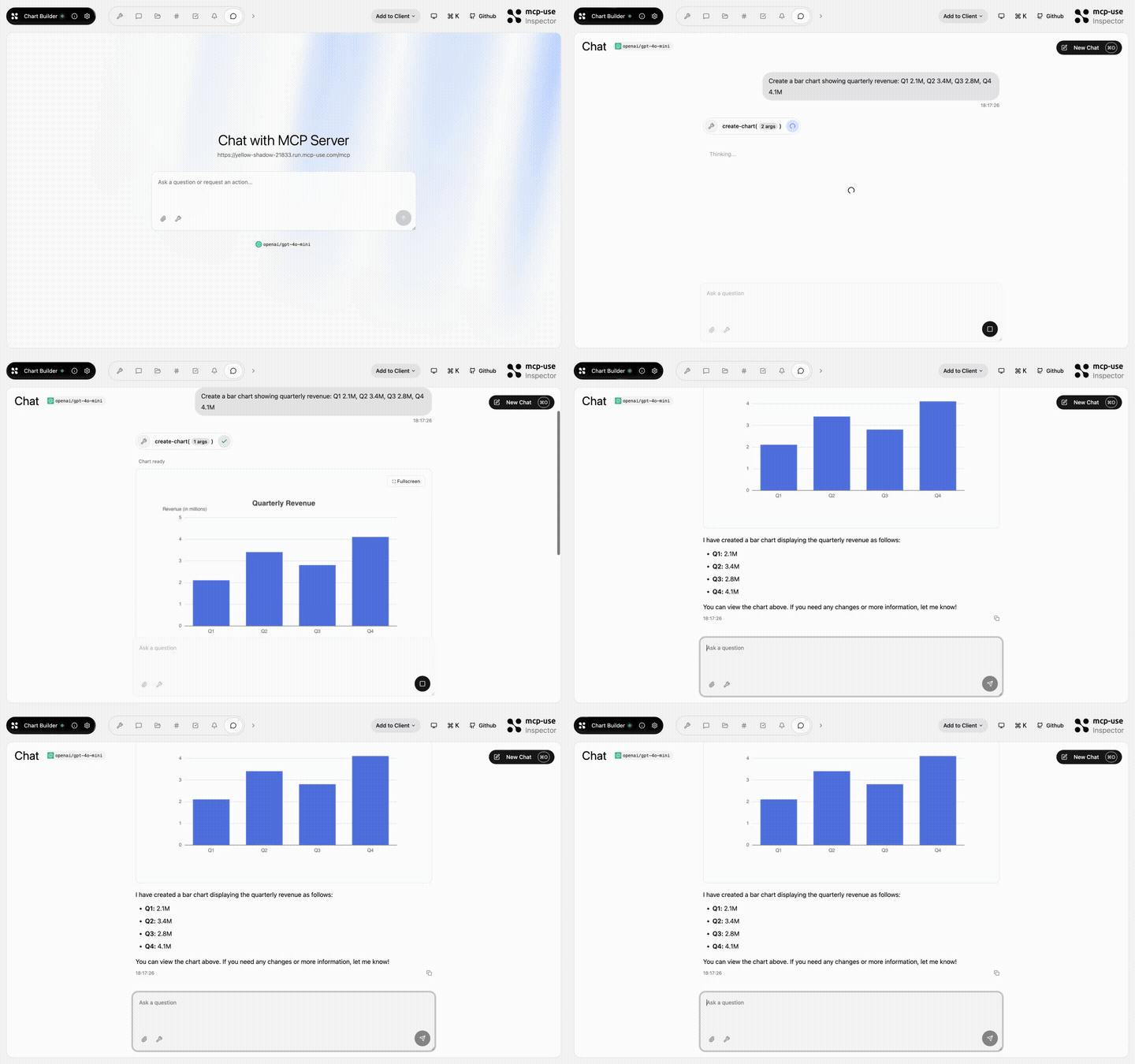
### Chart Builder
![Chart Builder preview](https://raw.githubusercontent.com/mcp-use/mcp-chart-builder/main/repo-assets/demo.gif)

Generate charts from natural language.

* Tools: `create-chart`
* Source: [mcp-use/mcp-chart-builder](https://github.com/mcp-use/mcp-chart-builder)

<div
  style={{
display: "flex",
alignItems: "center",
gap: "12px",
flexWrap: "wrap",
}}
>
  <a href="https://yellow-shadow-21833.run.mcp-use.com/mcp" style={{ display: "inline-flex", width: "183px", height: "41px" }}>
    <img src="https://mintcdn.com/mcpuse/KWxdRjHD-O0MyS3N/images/TryNowSmall.svg?fit=max&auto=format&n=KWxdRjHD-O0MyS3N&q=85&s=68698a210d6e72eca6f328cd9e8131b9" alt="Try now" style={{ display: "block", width: "183px", height: "41px" }} width="183" height="41" data-path="images/TryNowSmall.svg" />
  </a>

  <a href="https://mcp-use.com/deploy/start?repository-url=https%3A%2F%2Fgithub.com%2Fmcp-use%2Fmcp-chart-builder&branch=main&project-name=mcp-chart-builder&port=3000&runtime=node&base-image=node%3A22" style={{ display: "inline-flex", width: "183px", height: "41px" }}>
    <img src="https://mintcdn.com/mcpuse/KWxdRjHD-O0MyS3N/images/DeploySmall.svg?fit=max&auto=format&n=KWxdRjHD-O0MyS3N&q=85&s=be6caa58a838fa3ed87ec45cd352250b" alt="Deploy" style={{ display: "block", width: "183px", height: "41px" }} width="183" height="41" data-path="images/DeploySmall.svg" />
  </a>
</div>

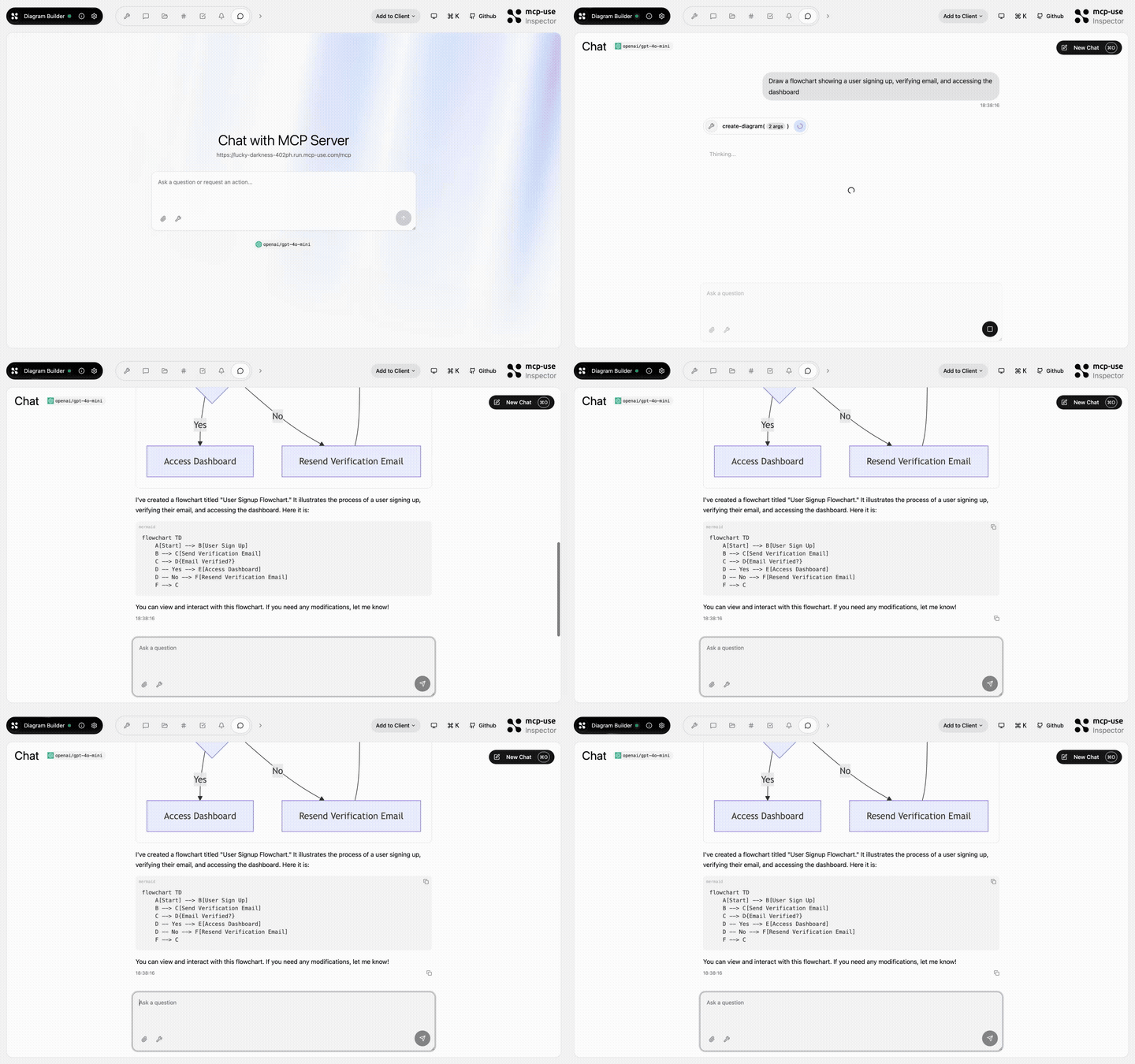
### Diagram Builder

![Diagram Builder preview](https://raw.githubusercontent.com/mcp-use/mcp-diagram-builder/main/repo-assets/demo.gif)

Build and edit diagrams conversationally.

* Tools: `create-diagram`, `edit-diagram`
* Source: [mcp-use/mcp-diagram-builder](https://github.com/mcp-use/mcp-diagram-builder)

<div
  style={{
display: "flex",
alignItems: "center",
gap: "12px",
flexWrap: "wrap",
}}
>
  <a href="https://lucky-darkness-402ph.run.mcp-use.com/mcp" style={{ display: "inline-flex", width: "183px", height: "41px" }}>
    <img src="https://mintcdn.com/mcpuse/KWxdRjHD-O0MyS3N/images/TryNowSmall.svg?fit=max&auto=format&n=KWxdRjHD-O0MyS3N&q=85&s=68698a210d6e72eca6f328cd9e8131b9" alt="Try now" style={{ display: "block", width: "183px", height: "41px" }} width="183" height="41" data-path="images/TryNowSmall.svg" />
  </a>

  <a href="https://mcp-use.com/deploy/start?repository-url=https%3A%2F%2Fgithub.com%2Fmcp-use%2Fmcp-diagram-builder&branch=main&project-name=mcp-diagram-builder&port=3000&runtime=node&base-image=node%3A22" style={{ display: "inline-flex", width: "183px", height: "41px" }}>
    <img src="https://mintcdn.com/mcpuse/KWxdRjHD-O0MyS3N/images/DeploySmall.svg?fit=max&auto=format&n=KWxdRjHD-O0MyS3N&q=85&s=be6caa58a838fa3ed87ec45cd352250b" alt="Deploy" style={{ display: "block", width: "183px", height: "41px" }} width="183" height="41" data-path="images/DeploySmall.svg" />
  </a>
</div>

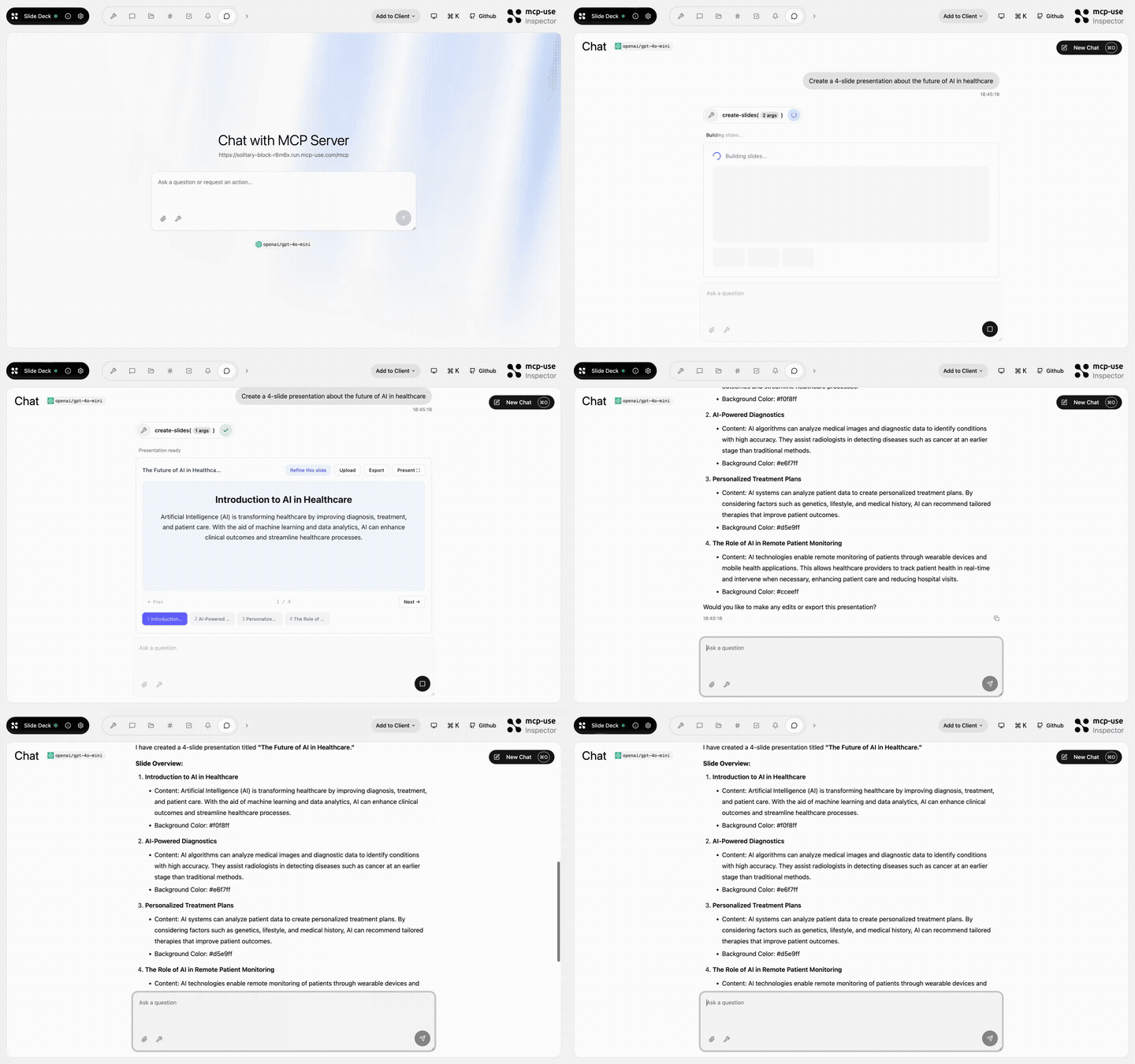
### Slide Deck

![Slide Deck preview](https://raw.githubusercontent.com/mcp-use/mcp-slide-deck/main/repo-assets/demo.gif)

Create and edit slide decks inline.

* Tools: `create-slides`, `edit-slide`
* Source: [mcp-use/mcp-slide-deck](https://github.com/mcp-use/mcp-slide-deck)

<div
  style={{
display: "flex",
alignItems: "center",
gap: "12px",
flexWrap: "wrap",
}}
>
  <a href="https://solitary-block-r6m6x.run.mcp-use.com/mcp" style={{ display: "inline-flex", width: "183px", height: "41px" }}>
    <img src="https://mintcdn.com/mcpuse/KWxdRjHD-O0MyS3N/images/TryNowSmall.svg?fit=max&auto=format&n=KWxdRjHD-O0MyS3N&q=85&s=68698a210d6e72eca6f328cd9e8131b9" alt="Try now" style={{ display: "block", width: "183px", height: "41px" }} width="183" height="41" data-path="images/TryNowSmall.svg" />
  </a>

  <a href="https://mcp-use.com/deploy/start?repository-url=https%3A%2F%2Fgithub.com%2Fmcp-use%2Fmcp-slide-deck&branch=main&project-name=mcp-slide-deck&port=3000&runtime=node&base-image=node%3A22" style={{ display: "inline-flex", width: "183px", height: "41px" }}>
    <img src="https://mintcdn.com/mcpuse/KWxdRjHD-O0MyS3N/images/DeploySmall.svg?fit=max&auto=format&n=KWxdRjHD-O0MyS3N&q=85&s=be6caa58a838fa3ed87ec45cd352250b" alt="Deploy" style={{ display: "block", width: "183px", height: "41px" }} width="183" height="41" data-path="images/DeploySmall.svg" />
  </a>
</div>

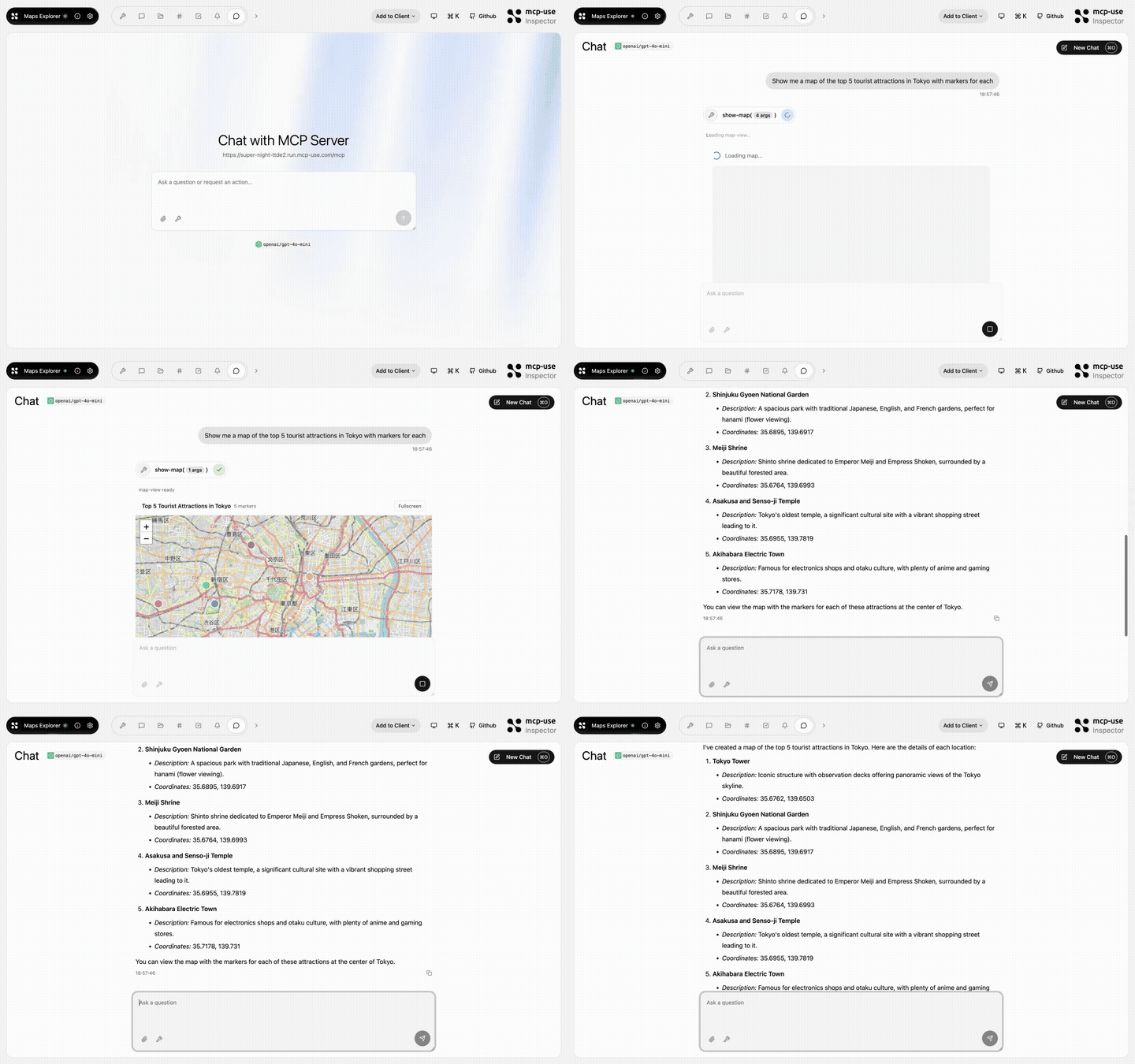
### Maps Explorer

![Maps Explorer preview](https://raw.githubusercontent.com/mcp-use/mcp-maps-explorer/main/repo-assets/demo.gif)

Interactive maps with place details and markers.

* Tools: `show-map`, `get-place-details`, `add-markers`
* Source: [mcp-use/mcp-maps-explorer](https://github.com/mcp-use/mcp-maps-explorer)

<div
  style={{
display: "flex",
alignItems: "center",
gap: "12px",
flexWrap: "wrap",
}}
>
  <a href="https://super-night-ttde2.run.mcp-use.com/mcp" style={{ display: "inline-flex", width: "183px", height: "41px" }}>
    <img src="https://mintcdn.com/mcpuse/KWxdRjHD-O0MyS3N/images/TryNowSmall.svg?fit=max&auto=format&n=KWxdRjHD-O0MyS3N&q=85&s=68698a210d6e72eca6f328cd9e8131b9" alt="Try now" style={{ display: "block", width: "183px", height: "41px" }} width="183" height="41" data-path="images/TryNowSmall.svg" />
  </a>

  <a href="https://mcp-use.com/deploy/start?repository-url=https%3A%2F%2Fgithub.com%2Fmcp-use%2Fmcp-maps-explorer&branch=main&project-name=mcp-maps-explorer&port=3000&runtime=node&base-image=node%3A22" style={{ display: "inline-flex", width: "183px", height: "41px" }}>
    <img src="https://mintcdn.com/mcpuse/KWxdRjHD-O0MyS3N/images/DeploySmall.svg?fit=max&auto=format&n=KWxdRjHD-O0MyS3N&q=85&s=be6caa58a838fa3ed87ec45cd352250b" alt="Deploy" style={{ display: "block", width: "183px", height: "41px" }} width="183" height="41" data-path="images/DeploySmall.svg" />
  </a>
</div>

## Use an example

1. Click **Try now** to open the hosted MCP endpoint.
2. In the [Inspector](/inspector/index), connect to the endpoint with the **Direct** transport.
3. Open **Tools**, select one of the listed tools, and run it with test input.

Use **Deploy** when you want your own hosted copy. Use **Source** when you want to clone the repo and customize the server locally.

## Build your own server

Start from one of these repos when your server needs similar tools, widgets, or deployment settings. Start from the scaffold when you want a blank TypeScript server:

```bash theme={null}
npx create-mcp-use-app@latest my-server
```

* [TypeScript server quickstart](/typescript/getting-started/quickstart): Create and run a new TypeScript server locally.
* [Deploy to Manufact Cloud](/typescript/server/deployment/mcp-use): Deploy a TypeScript MCP server and get a hosted `/mcp` endpoint.